Quick Answer
Samsung fridges run a self-check called Smart Care from the SmartThings app. LG fridges use Smart Diagnosis, run from the LG ThinQ app or over a phone call to LG support. Both take about five minutes and report a pass or fault per system — worth doing before you book a technician.
Most Samsung and LG refrigerators sold in the last several years can check themselves. It is one of the least-used features on the appliance — five minutes with your phone sometimes turns a service call into a two-minute fix.
What a Self-Diagnostic Actually Does
Your fridge already monitors itself. Sensors track temperature in each compartment, the control board logs how the defrost cycle and fans behave, and faults get stored whether or not anything shows on the display. A self-diagnostic reads that log out in plain language.
What it will not do is inspect anything physically — it reports only on what the fridge can measure electronically, and that boundary matters.
Samsung Smart Care (via SmartThings)
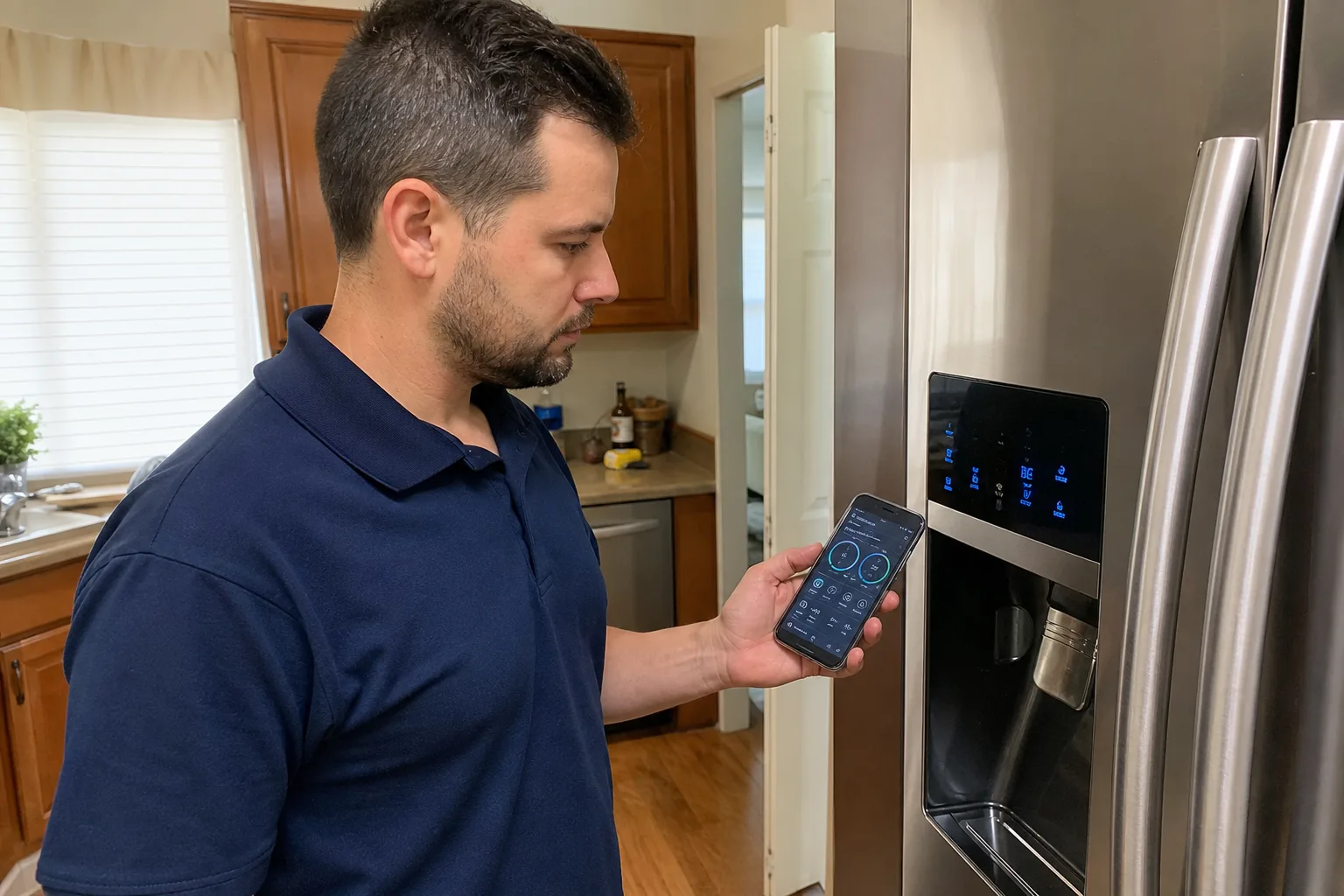
Smart Care is Samsung's built-in health check. The fridge has to be registered in the SmartThings app — the same setup used to control temperatures from your phone.
- Open SmartThings and select your refrigerator from the device list.
- Tap the menu (three dots) and choose Smart Care or Self-check.
- Start the check and leave the fridge alone for a few minutes.
- Read the report. Each system comes back as a pass or a fault, with a short description.
The check covers what the fridge tracks for itself — cooling behaviour, temperature sensors, defrost operation and door seal performance — and flags anything outside range. If a fault is found, the app describes it and often suggests a next step.
LG Smart Diagnosis
LG's version is cleverer than it sounds: the fridge transmits its stored data as a burst of audio tones. There are two ways to run it.
Option 1 — LG ThinQ App
- Open ThinQ and select your fridge
- Choose Smart Diagnosis and start it
- Hold your phone close to the diagnosis icon on the control panel
- Press and hold the fridge's diagnosis button for 10–15 seconds while it transmits
- Read the result in the app
Option 2 — Call LG Support
- Call LG Canada support and ask for Smart Diagnosis
- Hold your phone to the fridge when prompted
- Press and hold the diagnosis button so the tones transmit down the line
- The agent reads the result back to you
- Works with no app and no Wi-Fi
The tone sequence sounds alarming the first time. That is normal — keep the room quiet while it plays, since background noise can garble it.
What the Results Actually Mean
A fault is a strong lead. If the check flags a defrost problem or a sensor out of range, that is real and it narrows the diagnosis. Write down the exact wording for your technician.
A pass is not a clean bill of health. Self-diagnosis reads sensors and electronics. It does not hear a fan bearing starting to grind, feel a gasket that no longer pulls tight, or see frost building where it should not. If everything passes but the fridge is noisy, warm or leaking, the fault is mechanical.
Do not let a pass talk you out of a real symptom. Food spoiling faster than it should is a symptom, whatever the app says. The self-check reports what the fridge knows about itself, not what is happening inside it.
When to Skip the App and Just Book
Some situations do not benefit from a five-minute diagnostic:
- Visible water on the floor or inside the unit. A leak has a physical source.
- A burning smell, or a breaker that trips. Unplug the fridge and call — do not run tests on it.
- Food spoiling while the app reports everything normal. Trust the food.
- Loud buzzing, grinding or rattling. Noise is mechanical by definition — see our guide to a refrigerator making a buzzing noise.
- An error code that returns after a reset. A repeat code means a failed part, not a glitch.
$89 Diagnostic — Waived with Repair. Bring us whatever the app reported and we confirm it against the hardware. $40 OFF any repair, limited time; repairs run $150–$350. Book online or call (437) 747-6737.
Frequently Asked Questions
Smart Care is the self-check built into Samsung refrigerators, run from the SmartThings app under your fridge's menu. It reviews the systems the fridge monitors on its own, including temperature sensors, defrost operation and door seals, then reports each as a pass or a fault in plain language.
There are two ways. In the LG ThinQ app, start Smart Diagnosis, hold your phone close to the diagnosis icon on the fridge, then press and hold that button so the fridge transmits its tone sequence for 10 to 15 seconds. Or call LG support and hold your phone to the fridge during the automated call.
No. Both Samsung Smart Care and LG Smart Diagnosis are free features built into the appliance, and the apps are free to download. Running one before you book is worth the five minutes: if it points at something simple like a door left ajar or an overdue filter, you may not need a visit.
That is common, and it is useful information rather than a dead end. Self-diagnosis reads sensors and electronics, so it misses mechanical wear such as a fan bearing going or a door seal that no longer pulls tight. A pass with a real symptom means the fault is physical.
LG Smart Diagnosis does, because the fridge sends its data as an audio tone your phone picks up rather than over the network. Samsung Smart Care needs the fridge registered in SmartThings, so it has to be connected. If your Samsung is offline, read any error code off the door display.
Not usually. Both systems report a fault area rather than a specific failed component, so you will see something like a defrost or sensor fault rather than a part number. That still helps: bring the exact wording to your technician and it narrows the diagnosis.